User Guide
Everything residents and visitors need to use Castellan Smart Access — from opening your own gate to sending a secure QR access pass to a guest.
Set up your account
Both residents and visitors access Castellan Smart Access through a web link — there's nothing complex to install. Residents sign up once and join an estate; visitors never need an account.
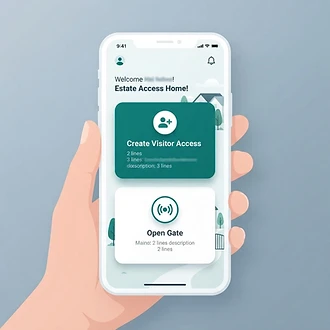
- 1
Register or log in
Open the app and register with your email. You'll confirm a one-time code, then you're logged in. Existing users can simply log in.
- 2
Join your estate with a joining code
Tap Join estate and enter the joining code your estate administrator gives you. Repeat visitors never need this step.
- 3
Wait for approval
An administrator approves your membership. Until then you'll see a "membership pending" screen. Once approved, the full home screen unlocks.
Managing gates & visitor access
Open a gate yourself
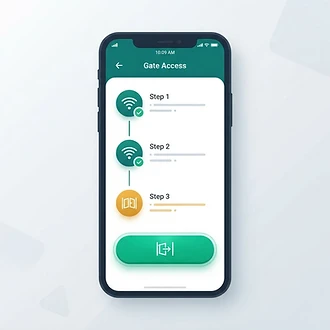
When you're in Wi-Fi range of your estate's gate, tap Open Gate and choose a gate.
- Connect to the gate's local Wi-Fi (the network name your estate uses, often "Castellan Gate").
- Tap Verify Gate Wi-Fi — a quick local check confirms your phone is on the gate's network.
- Once verified, the green Open Gate button unlocks. Press and hold it, then confirm to open.
Tip: verification is valid for a short window (shown in seconds). If it expires, just verify again. Some estates also let admins and homeowners open a gate remotely — if so, you'll see a remote option instead.

Create a visitor access pass
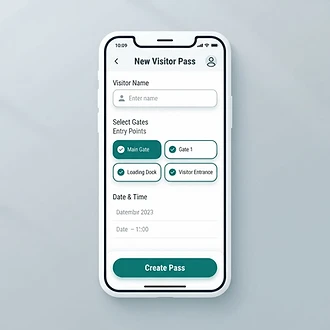
Tap Create Visitor Access from the home screen to issue a pass for a guest.
- Pick an existing visitor or add a new one (name, mobile number, vehicle registration).
- Select which gates the visitor may use — include an exit or "both" gate so they can leave the complex.
- Choose Single use (one open, or one entry + one exit) or Multiple use up to a set number of uses.
- Set the start and expiry time — passes can last up to 7 days, per your estate's limit.
- Tap Create pass.

Share the pass link
Once created, you'll see the pass screen with a shareable link. Send it to your visitor via WhatsApp, SMS, your phone's Share sheet, or Copy link. The visitor just taps the link — no app, no login required.
You can review and manage all your passes under Passes, revisit saved visitors under My Visitors, and see a full record under Access History.
Using your access pass
As a visitor you don't need to register or download anything. A resident of the estate sends you a personal access link — that link is your digital ticket.
Open the access link
- Tap the link your host sent, or scan the QR code they shared with your phone's camera.
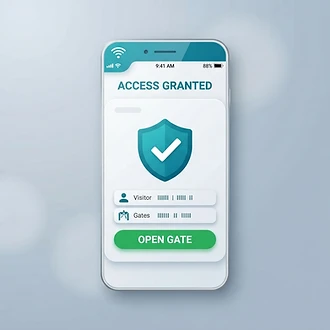
- The page verifies the pass and shows Access granted with your name, the gates you may use, and the expiry time.
- If it says the pass is expired, already used, or not active, contact your host.

Open the gate when you arrive
When you arrive at the gate, proximity must be confirmed before the gate can open:
- Look for the QR code posted at the gate and scan it with your phone's camera. The code joins your phone to the gate's local Wi-Fi network (e.g. Castellan Gate) automatically.
- Return to your pass page and tap Verify Gate Wi-Fi. The system checks that your phone is on the gate's local network to confirm you're there.
- When verified, the green Open Gate button unlocks. Press and hold it, then confirm to send the gate signal.
How the access pass & QR code work

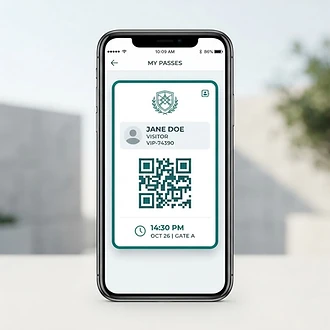
Every visitor pass is a unique link that encodes a secure, hashed token. The plain token is never stored — only a one-way hash — so the link itself is the only proof of access.
Scan to open
Your host can turn the link into a QR code (or your phone's camera scans the shared link). Scanning opens the pass page instantly — no typing required.
Time-limited
Each pass has a start and expiry time (up to 7 days). Outside that window the link simply shows that access isn't available.
Personal & revocable
A pass is tied to a single visitor. Your host can revoke it at any time from Passes, and the link stops working immediately. Don't forward the link to anyone else.